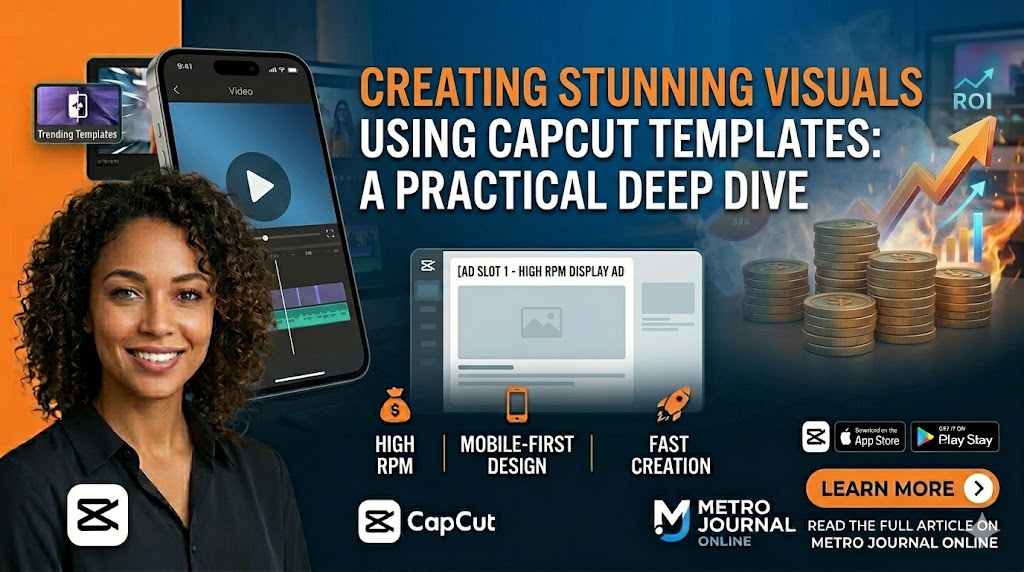
Creating Stunning Visuals Using CapCut Templates: A Practical Deep Dive
The first time you open CapCut with a trending template in mind, the video editing workflow shifts completely. It doesn’t feel like tedious post-production editing at all—it feels more like directing a cinematic scene that already knows its visual direction. Instead of staring at an empty, intimidating timeline, you step into a ready-made visual rhythm that dynamically reacts to your raw content.
This mindset shift is exactly what makes CapCut templates so incredibly powerful for modern creators who need production speed without sacrificing creative impact, especially in highly competitive digital spaces like Instagram Reels and TikTok.
Why CapCut Templates Are Revolutionizing Short-Form Video Storytelling
The true power of CapCut templates lies in how they quietly eliminate technical hesitation—the most frustrating part of the video creation process. When complex transitions, speed ramps, visual effects, and timing are already structured by professional creators, your focus naturally moves to where it matters most: storytelling and emotional delivery.
In today’s short-form attention economy, visually polished content decides within the first three seconds whether a viewer stays or scrolls past. Templates democratize video production, allowing solo content creators, social media managers, and non-designers to produce video assets that look intentionally crafted, premium, and highly professional.
The Psychology Behind High-Impact Trending Visual Templates
A high-performing CapCut template isn’t just a collection of random flash effects; it is built on human visual psychology. These structured frameworks are engineered around specific pacing that matches modern digital attention spans, frequently syncing fast-paced motion cuts directly with viral music beats or emotional peaks.
When used correctly, this mechanical synchronization creates a satisfying sense of flow that hooks the audience. This psychological trick is exactly why branded reels, high-yield product ads, and influencer videos built on templates routinely outperform raw, unedited footage in watch time, engagement rates, and viewer retention.
Advanced Customization: Turning Popular Templates into Unique Brand Assets
Despite the word “template,” utilizing CapCut layouts does not mean you are locked into digital repetition. Strategic creators treat templates merely as a foundation, not the final destination. The true creative power unlocks when you customize the core elements to build unique visual authority:
-
Brand Typography: Replace the standard template font styles with your company’s custom text assets.
-
Aesthetic Color Grading: Adjust color tones, apply high-contrast filters, and shift saturation to match your exact brand aesthetic.
-
Original Asset Replacement: Swap out generic placeholder clips with your own high-resolution vertical footage.
These subtle custom adjustments drastically change the final video output. It prevents the copy-paste look, making your content feel completely bespoke and original while allowing you to publish volume consistently.
Strategic Asset Production: AI-Generated Companion Graphics
To complement your viral CapCut video campaigns and establish strong brand recall, you can use generative AI tools to create stunning promotional posters or cover arts. Use the professionally structured prompt below to build high-detail graphics for your social media channels:
Midjourney / Stable Diffusion Prompt:
Transform this photo into a cinematic content creator poster. Create a dramatic red and dark orange textured background with smoky, fiery lighting. Add strong rim light and glow around the subject for a heroic look. The subject with sharp facial details and realistic skin texture. Apply high contrast, cinematic color grading, deep shadows, and intense highlights. Use ultra-realistic digital art style, HDR lighting, sharp focus, depth, dramatic atmosphere, poster-style composition, high detail, 4K quality, cinematic portrait photography, modern social media poster aesthetic.
Negative Prompt (What to exclude):
blurry, low quality, cartoon, anime, overexposed, flat lighting, washed colors, distorted face, extra fingers, bad anatomy, watermark, logo, text errors
Mastering Music-Driven Templates for Maximum Emotional Impact
Audio-anchored CapCut templates deserve special attention because they mathematically lock your visuals to trending music tracks. When visual jumps, beats, and text transitions rise and fall dynamically with audio cues, the final video feels cinematic, even in a 15-second format. This sensory synchronization is highly effective for lifestyle vlogs, fitness transformations, motivational content, and instant product showcases—subconsciously forcing the viewer to stay until the beat drops.
Verified Resources for Mobile Video Optimization
To implement this template-based workflow efficiently and start scaling your publishing output on vertical platforms like YouTube Shorts and Instagram, use the verified official creation resources below:
-
Trending Template Source: Access Viral CapCut Visual Template Framework
-
Official Mobile Application: Download CapCut Photo & Video Editor for iOS/Android
Overcoming Creative Fatigue and Scaling Content Sustainability
One of the most overlooked advantages of leveraging CapCut templates is the mitigation of creative burnout. Instead of wasting valuable energy reinventing basic post-production mechanics for every single video, social media managers and solo creators can channel 100% of their bandwidth into scriptwriting, refining their core message, and interacting with their audience.
Less time spent fighting a complex desktop editing timeline means more time spent developing concepts that actually influence viewer behavior and drive organic traffic to your platform.
The Future of Mobile Content Workflows
As competition for digital impressions intensifies on mobile-first algorithms, production speed and visual quality are no longer optional—they are mandatory. CapCut templates sit perfectly at the intersection of automation and authentic creativity. Creators who master template-driven editing workflows today position themselves to capture shrinking human attention spans, reduce media production overhead, and build sustainable, visually memorable digital brands in an increasingly crowded online world.